Back to Portfolio
WiFi Analyze app icon

WiFi Analyze

Android app for real-time WiFi network scanning — dual scan modes, Wear OS companion, home screen widget, and background monitoring via WorkManager

v1.1.0 — Available Now
Target SDK 35 • Kotlin • Jetpack Compose
Download APK
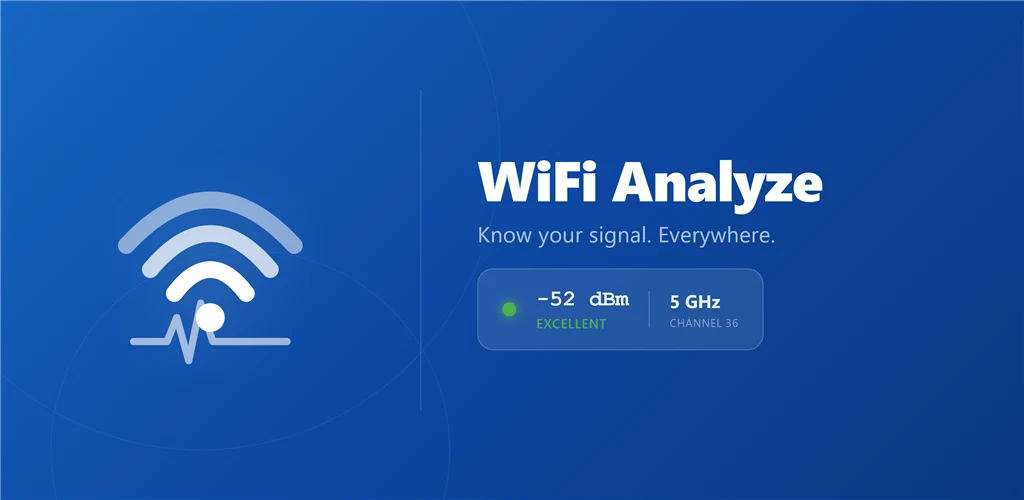
WiFi Analyze feature graphic
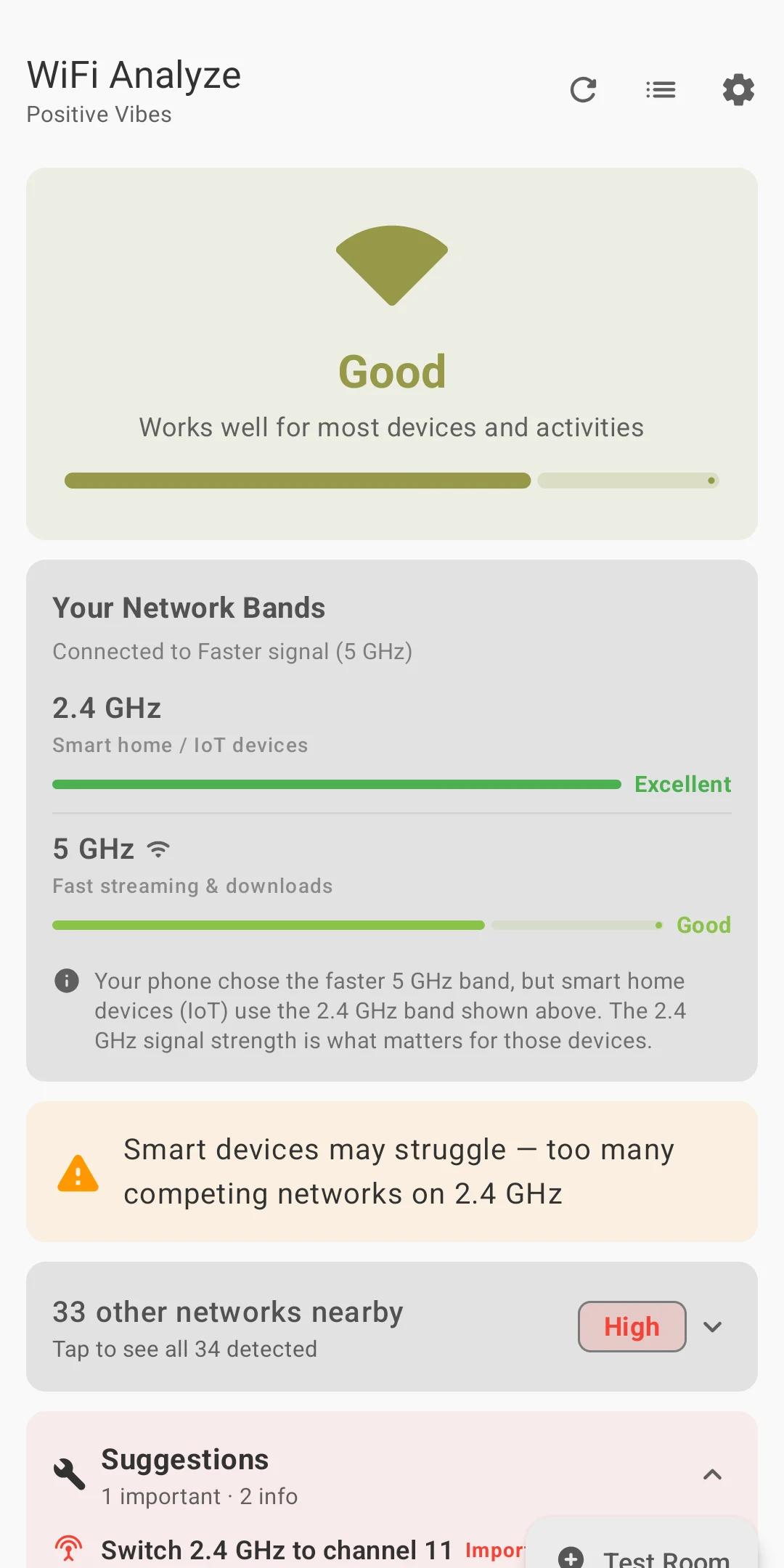
WiFi Analyze Simple Mode
Simple Mode
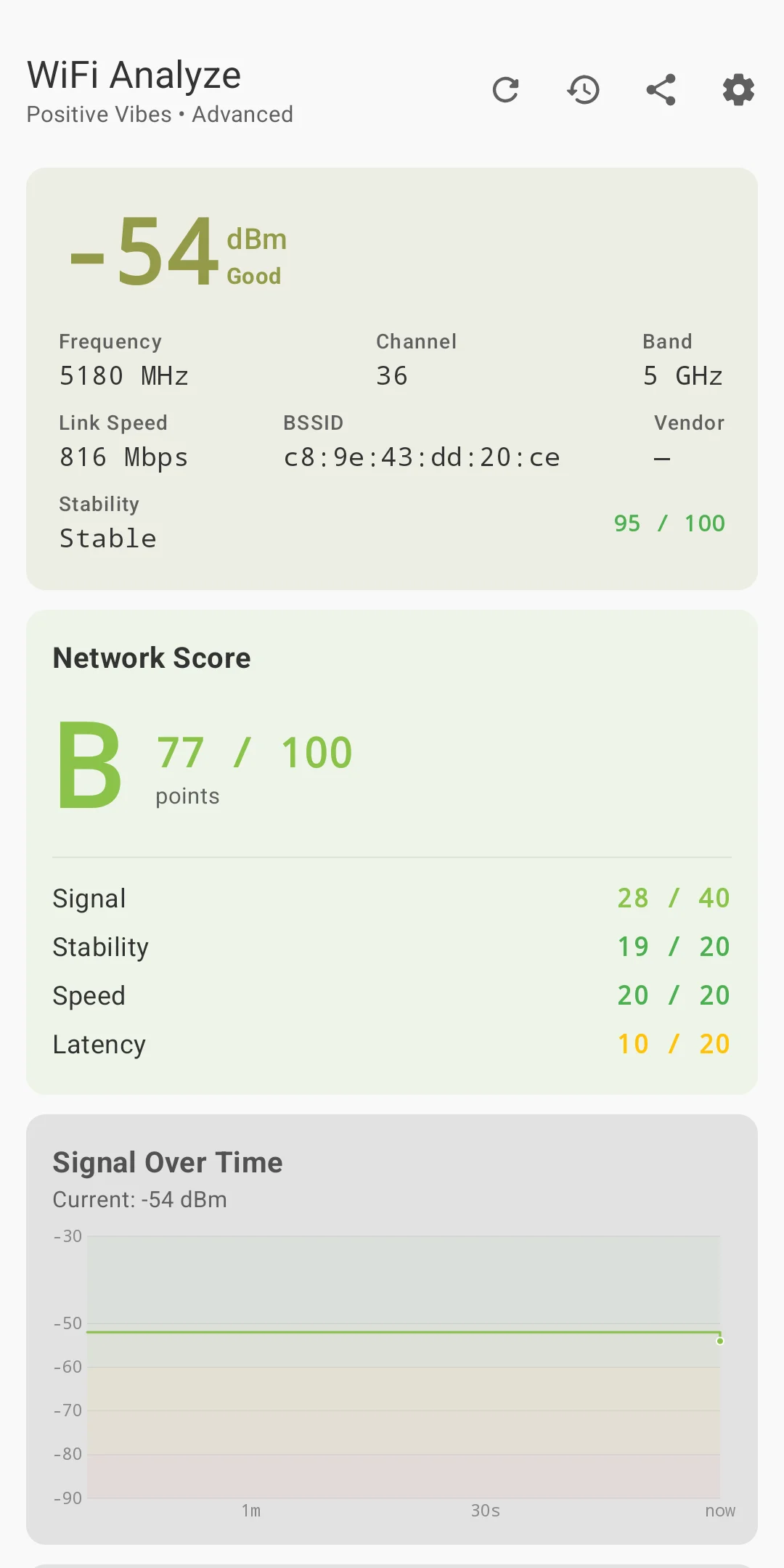
WiFi Analyze Advanced Mode
Advanced Mode

Overview

WiFi Analyze is a personal-use Android application that surfaces detailed information about nearby WiFi networks in two distinct modes tuned to different use cases. The Simple mode gives a clean at-a-glance summary — signal strength, channel, band, and encryption — while the Advanced mode exposes the full raw scan data for network analysis and troubleshooting.

Beyond the core scan interface, the app extends onto a Wear OS smartwatch companion (real-time sync via Wearable Data Layer), a home screen widget (Glance API), and a WorkManager background scanner that fires scheduled scan cycles and posts notifications without the user needing to have the app open. Room v4 persists scan history, DataStore carries user preferences, and Hilt wires the dependency graph throughout.

2
Scan Modes
Wear OS
Companion App
SDK 35
Target API
Room v4
Local Persistence

Tech Stack

Built on the modern Android development stack — Kotlin-first, Compose UI, and Jetpack Architecture Components throughout.

Kotlin
Primary Language
Jetpack Compose
Declarative UI + Material 3
Hilt
Dependency Injection
Room v4
Local Database (SQLite)
DataStore
User Preferences (Proto)
WorkManager
Background Scan Scheduling
Glance API
Home Screen Widget
Wearable Data Layer
Phone → Watch Sync
Wear OS
Smartwatch Companion
WifiManager API
Network Scan Source
Architecture Note

The app follows a clean MVVM architecture: ViewModels expose StateFlow streams to the Compose UI layer; a Repository layer mediates between the WifiManager scan source, Room database, and DataStore preferences; Hilt injects dependencies at every layer boundary. The phone and Wear OS companion are separate Gradle modules sharing a common data model.

Key Features

Two scan modes on the phone, a watch companion, a home screen widget, and background monitoring — built as distinct but integrated systems.

Simple Mode

  • Clean card-based list of nearby networks
  • Signal strength bar indicator (dBm to bar mapping)
  • Band (2.4 GHz / 5 GHz / 6 GHz), channel, and security type
  • Tap a network to expand for additional detail
  • Pull-to-refresh and auto-scan on resume
  • Sort by signal strength or SSID alphabetically

Advanced Mode

  • Full raw ScanResult data exposed per network
  • Channel width, center frequencies, operator-friendly name
  • Passpoint / Hotspot 2.0 indicators
  • Timestamp of scan result (nanoseconds from boot)
  • Network capabilities string (full protocol breakdown)
  • Filterable by band, security type, and minimum RSSI threshold

Wear OS Companion

  • Separate Wear OS module with Compose for Wear UI
  • Receives live scan data from phone via Wearable Data Layer
  • Displays top N networks by signal strength on watch
  • Tap a network on the watch to see band and channel detail
  • Syncs on each new phone scan — no independent scan permission required on watch

Home Screen Widget

  • Built with Jetpack Glance (Compose-based widget API)
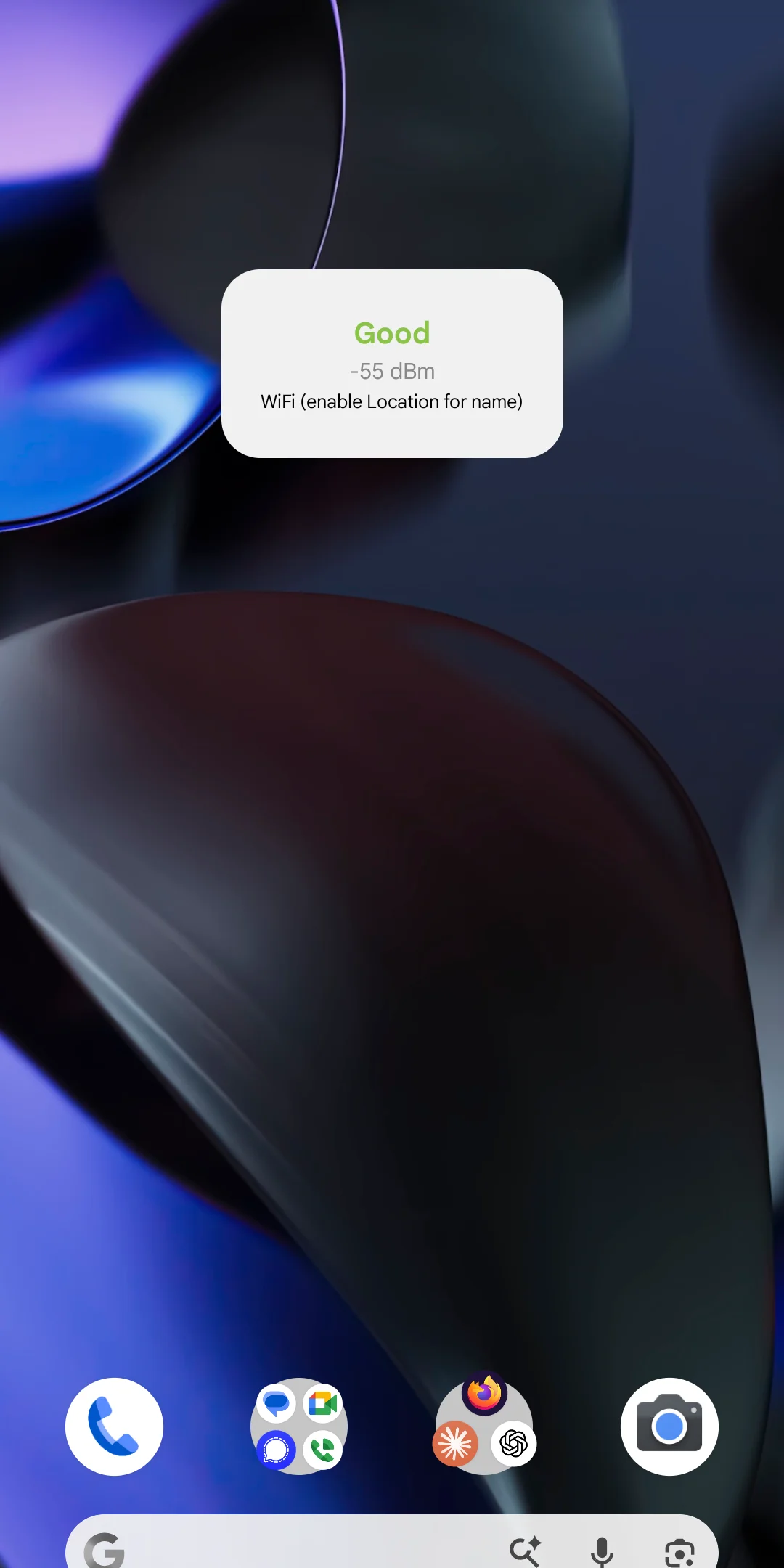
  • Displays current strongest network and its signal strength
  • Tap widget to open the app directly to Simple Mode
  • Updates triggered by WorkManager background scan results
  • Respects system night mode

Background Scanning

  • WorkManager periodic worker fires on configurable interval
  • Scans without requiring the app to be in the foreground
  • Results written to Room for history and widget data
  • Notification posted on completion with strongest network name
  • Worker respects battery saver and Doze mode constraints

Scan History & Preferences

  • Room v4 stores timestamped scan snapshots with full network list
  • History screen: browse past scans, see network appearances over time
  • DataStore persists: preferred mode, scan interval, sort order, min RSSI filter
  • First-launch onboarding flow with permission request rationale
  • Clear history option with confirmation dialog

Screenshots

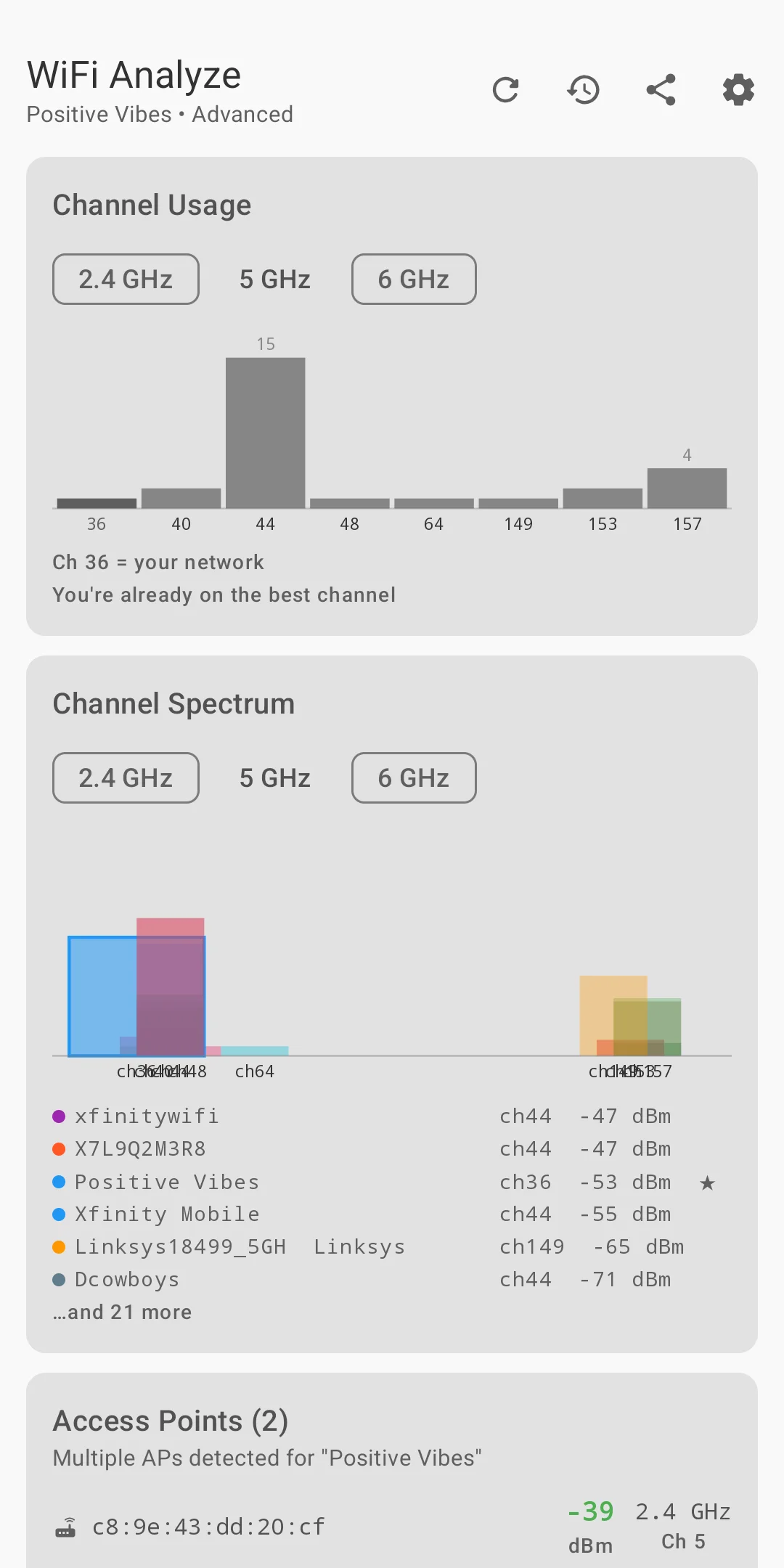
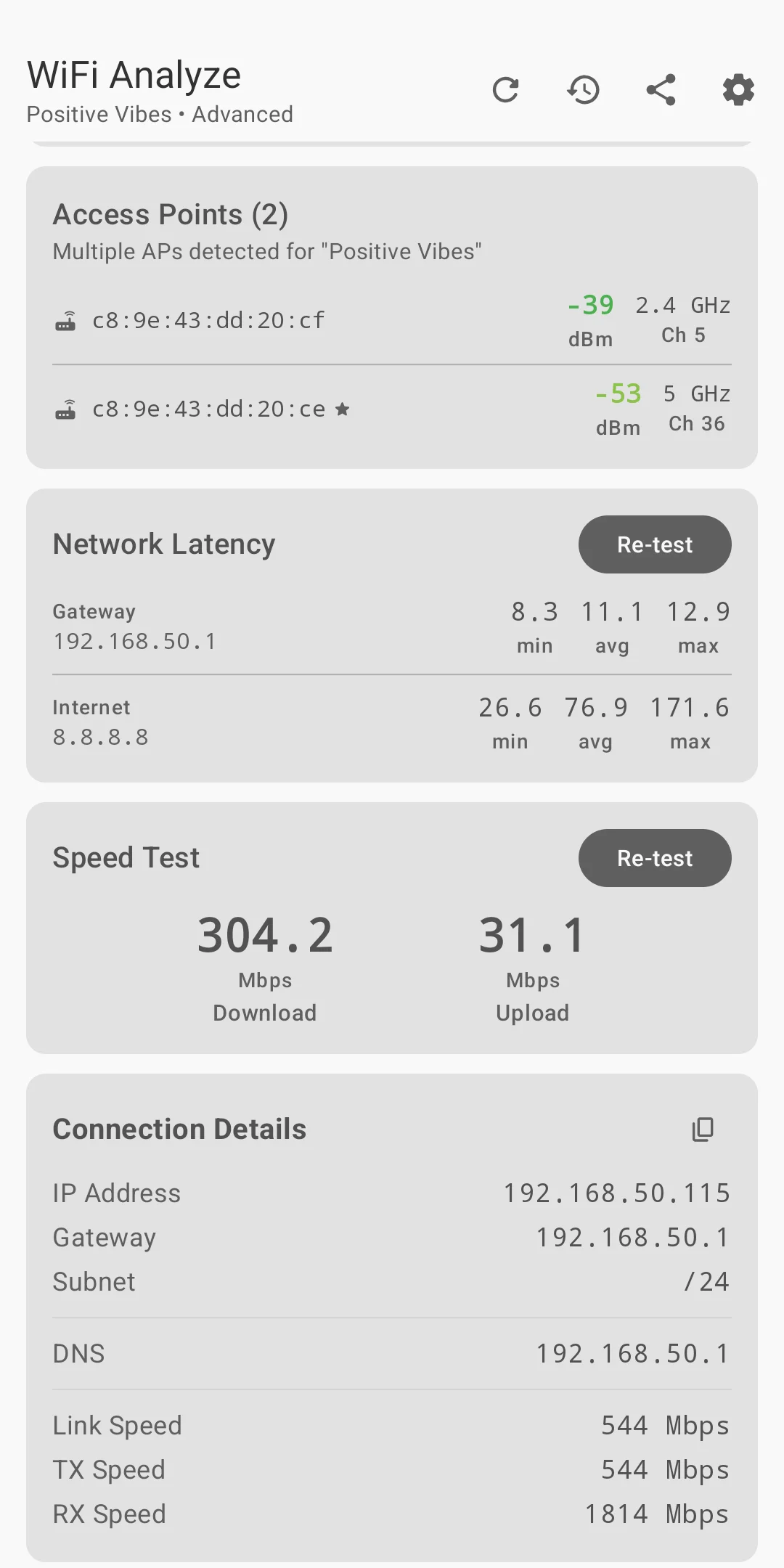
Real device screenshots showing all major views of the app and the home screen widget.

Simple Mode
Simple Mode
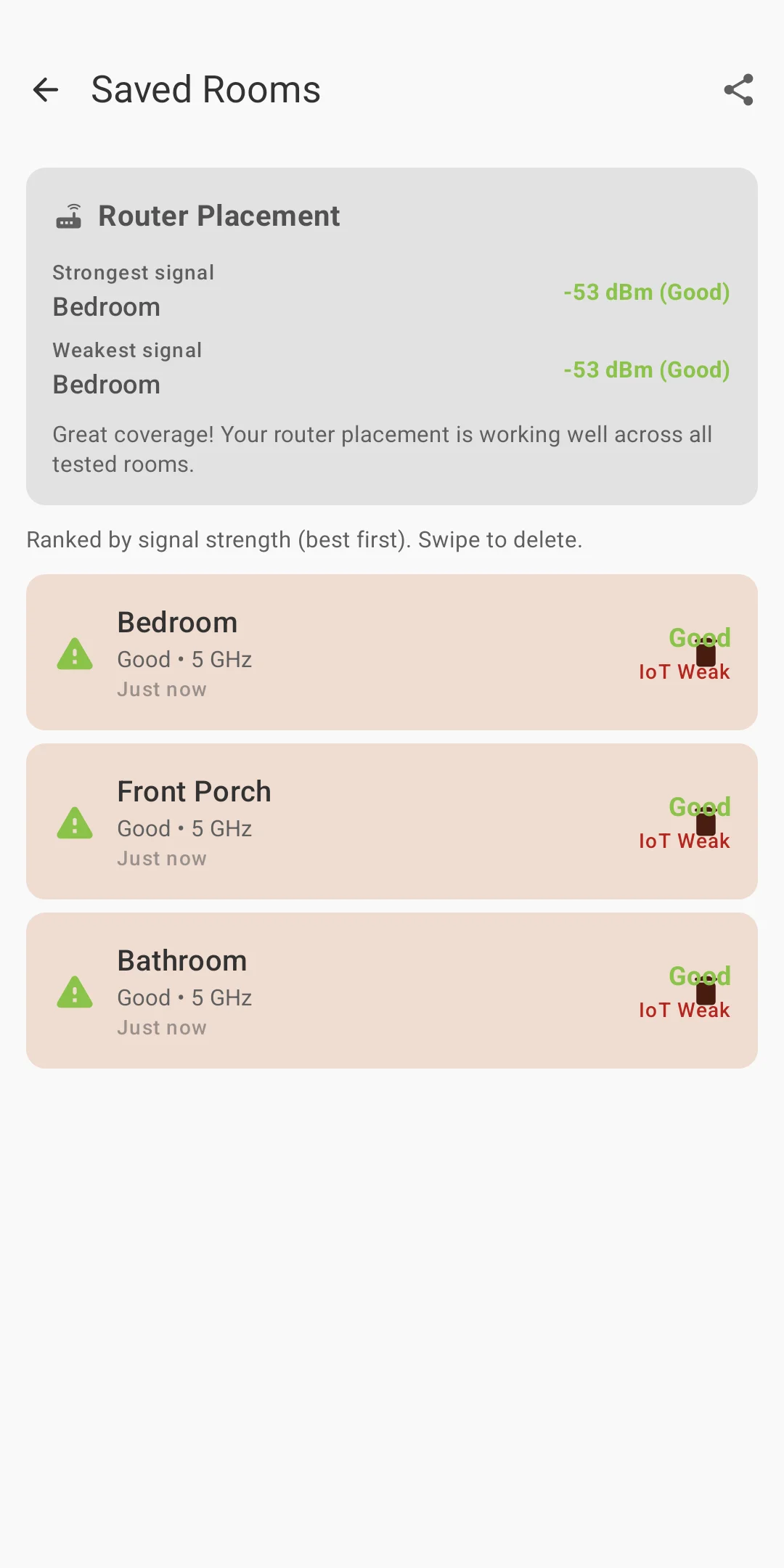
Rooms View
Rooms
Advanced Mode
Advanced Mode
Channels View
Channels
Speed Test View
Speed
Home Screen Widget
Widget

Technical Highlights

The engineering decisions that made this a substantive Android project.

WifiManager Scan Throttling on Modern Android

Android 9+ throttles WifiManager.startScan() to four calls per two minutes per app — a hard OS limit that cannot be bypassed. The app works within this constraint: scan results are always read from the latest cached getScanResults() call, a BroadcastReceiver listens for SCAN_RESULTS_AVAILABLE_ACTION to know when fresh data is ready, and the WorkManager background worker is scheduled conservatively to avoid triggering the throttle. Users are informed about the throttle limit in the onboarding flow.

Wearable Data Layer Sync Architecture

Phone-to-watch data delivery uses the Wearable Data Layer API — specifically DataMap put requests serialized as byte arrays. The phone module serializes the scan result list after each successful scan and calls Wearable.getDataClient().putDataItem(). The Wear OS module registers a WearableListenerService that receives the data item change, deserializes the payload, and updates a StateFlow that the Compose watch UI observes. This avoids polling and keeps the watch UI in sync without requiring the watch to have WiFi scan permissions.

Glance Widget State Management

Jetpack Glance runs in a separate process from the main app — it cannot directly observe the app's ViewModels or StateFlow. Widget state is managed through GlanceStateDefinition with a Preferences backing store. When the WorkManager background worker completes a scan, it writes the strongest network name and RSSI to the Glance state store and calls GlanceAppWidgetManager.updateIf() to trigger a widget redraw. This decouples the widget lifecycle from the app's Activity lifecycle entirely.

Room v4 Schema and Scan History

Each background scan produces a ScanSnapshot entity containing a timestamp and a List<NetworkEntity> serialized as a JSON column via a Room TypeConverter. This avoids the complexity of a fully normalized WiFi network schema (which would require a many-to-many join for snapshot-to-networks) while keeping the data queryable. Room v4's KSP-based annotation processing generates all DAO implementations at compile time — no runtime reflection, no hand-written SQL boilerplate.

Runtime Permission Handling

WiFi scanning on Android 10+ requires ACCESS_FINE_LOCATION; background scanning additionally requires ACCESS_BACKGROUND_LOCATION, which must be requested as a separate step after the fine location grant (Google policy prohibition on combined requests). The onboarding flow walks through this two-step grant with rationale screens that explain why each permission is needed. If location is denied, the app degrades gracefully — showing a permission prompt card rather than crashing or silently failing. WorkManager background scans are disabled until background location is explicitly granted.

Hilt Dependency Graph Across Modules

Both the phone and Wear OS modules share a common :core Gradle module that defines data models and repository interfaces. Hilt component hierarchies are declared per module — the phone app has a full SingletonComponent graph providing the repository, WorkManager integration, and DataStore; the Wear module has a smaller graph providing only the DataLayer listener and its StateFlow. This prevents the watch module from depending on the phone's WorkManager or WifiManager bindings while still sharing the data model layer.

Challenges Solved

The most interesting problems encountered during development.

OS-Level Scan Throttling

Android 9+ restricts apps to four startScan() calls per two-minute window. Exceeding this silently returns stale cached results rather than throwing an error — a subtle failure mode. The fix was to register a BroadcastReceiver for SCAN_RESULTS_AVAILABLE_ACTION and only call getScanResults() in response to the OS broadcast rather than on a timer. The WorkManager interval is set conservatively to never approach the throttle limit. Users see a banner in the UI if the OS returns a throttled result (the ScanResultsAvailable intent extra indicates success vs. throttle).

Background Location Permission UX

Google Play policy prohibits requesting fine location and background location in the same dialog. The onboarding flow had to be split into three screens: an introduction screen, a fine location request, and — only after fine location is granted — a background location rationale screen with a deep link to the system settings page (the OS-level permission dialog is used for the background grant, not an in-app dialog). Handling the edge case where a user grants fine but denies background required the WorkManager scan to check both permission states before scheduling and to surface a clear settings link in the UI.

Glance Widget Out-of-Process Constraints

Glance widgets run in a RemoteViews-equivalent process that cannot hold references to the app's in-memory state. Early attempts to update the widget by observing a StateFlow from inside the GlanceAppWidget class failed silently on device restart when the widget process restarted without the main app. The correct pattern is a one-directional data write: the WorkManager worker writes to Glance's Preferences state store after each scan, and the widget reads from that store on every composition pass. This survives process death, device reboot, and widget resize events.

Wear OS Compose API Differences

Compose for Wear OS uses a distinct set of UI components from the phone Compose library — ScalingLazyColumn instead of LazyColumn, Chip instead of Card, and the Scaffold component has a Wear-specific variant with a curved time text slot at the top. The phone's shared :core module provides only data types and repository interfaces — no Compose UI imports — so the two UI layers are fully separated. This also means the watch module can be compiled independently without pulling in the full phone Compose dependency tree.

What This Project Demonstrates

Modern Android Architecture
MVVM + Repository pattern, Hilt DI, StateFlow/Compose UI integration — the full Jetpack recommended stack
Wear OS Development
Separate companion module, Wearable Data Layer sync, Compose for Wear OS — a complete phone + watch integration
Background Work & Widgets
WorkManager scheduling, Glance widget state management, notification delivery — beyond the Activity lifecycle
Runtime Permissions
Two-step location permission flow following Google Play policy, graceful degradation, and settings deep linking
Multi-Module Gradle Project
Shared :core module, phone app module, Wear OS module — clean separation with shared data contracts
Platform API Constraints
Working within WifiManager scan throttling and Doze mode — designing around OS restrictions rather than against them

Interested in Android Development?

From Compose UI to Wear OS — we build native Android apps using the full modern Jetpack stack.

Download APK Get In Touch