Back to Portfolio
GIFit app icon

GIFit

Native Android GIF creator — pick photos, reorder frames, add styled text overlays, and export an animated GIF entirely on-device with a custom pure-Kotlin encoder

Active Development
Min SDK 21 • Target SDK 36 • Kotlin
Download APK
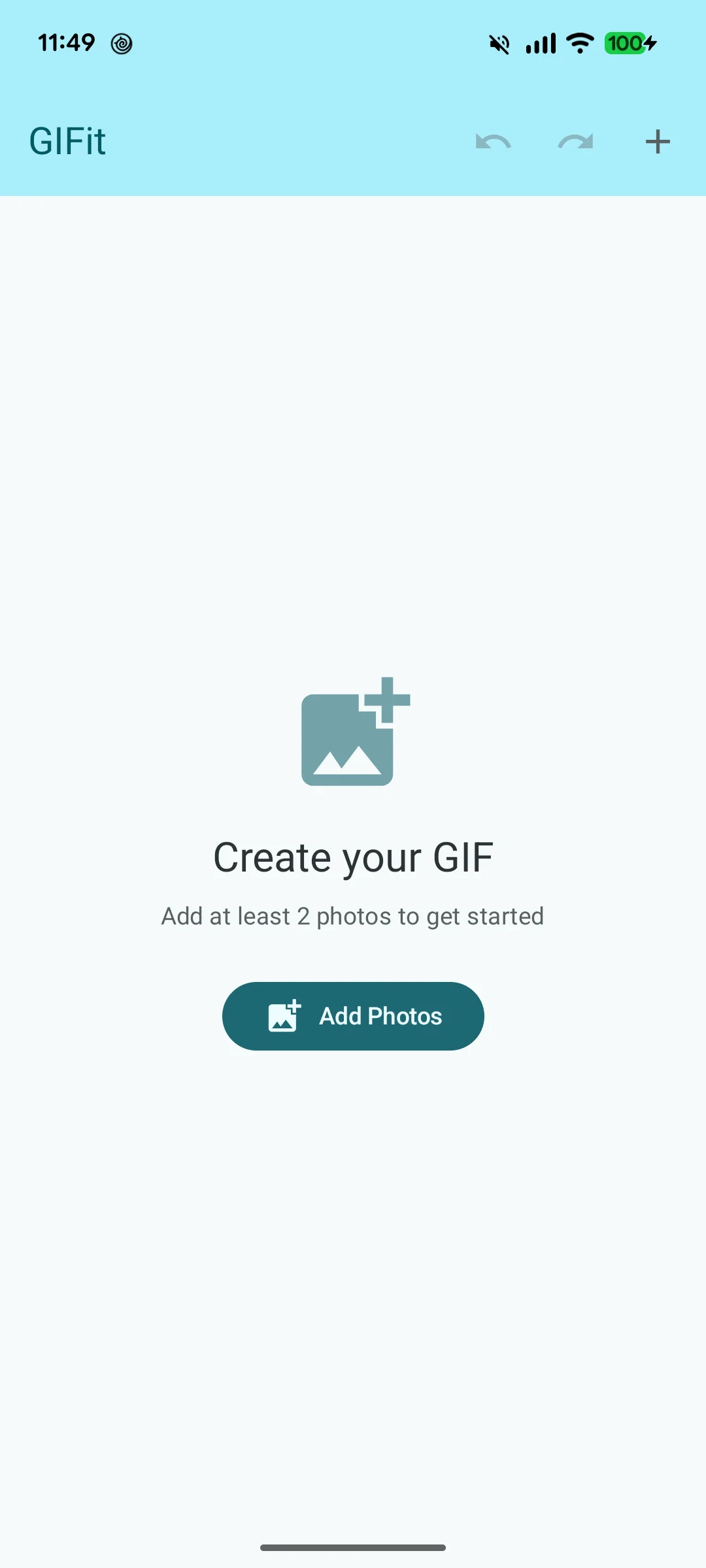
GIFit screenshot 1
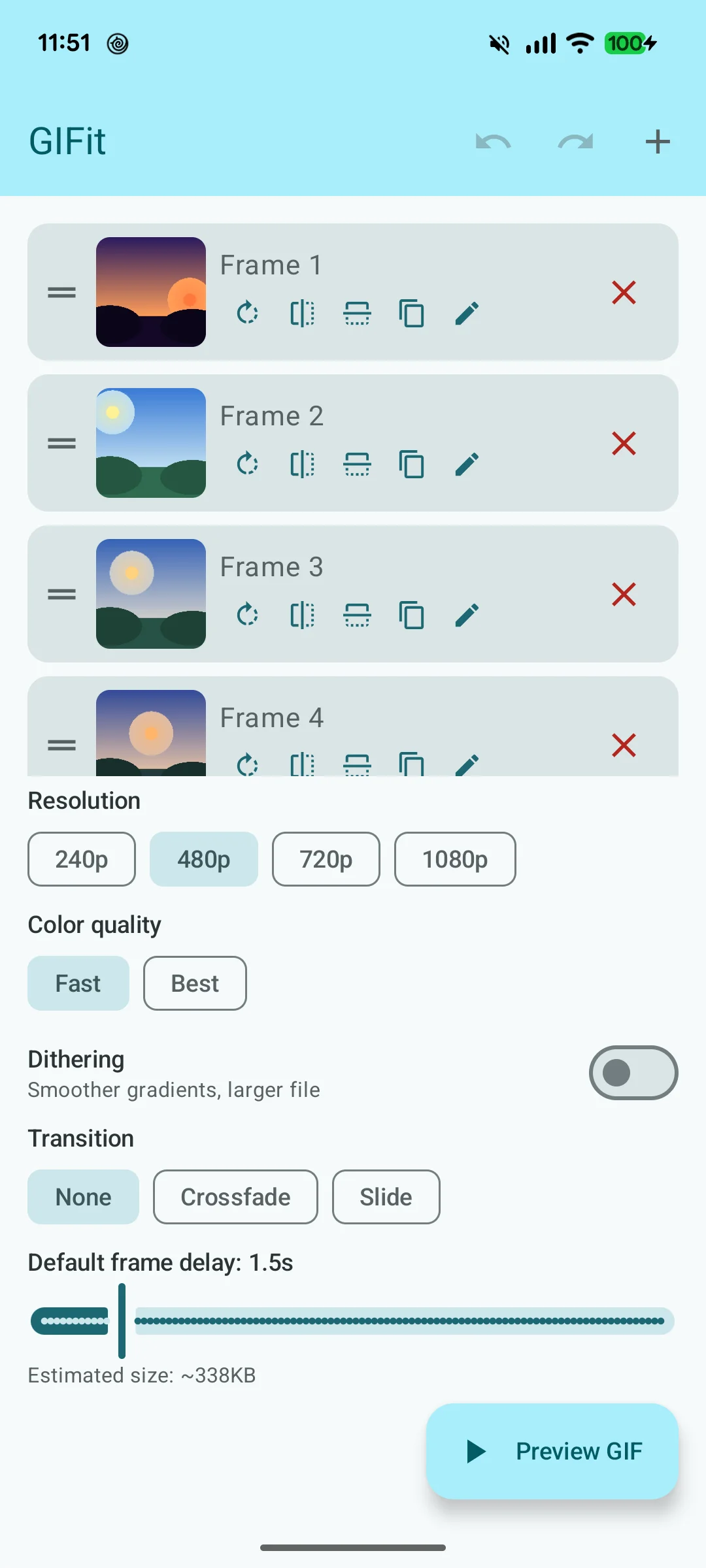
GIFit screenshot 2
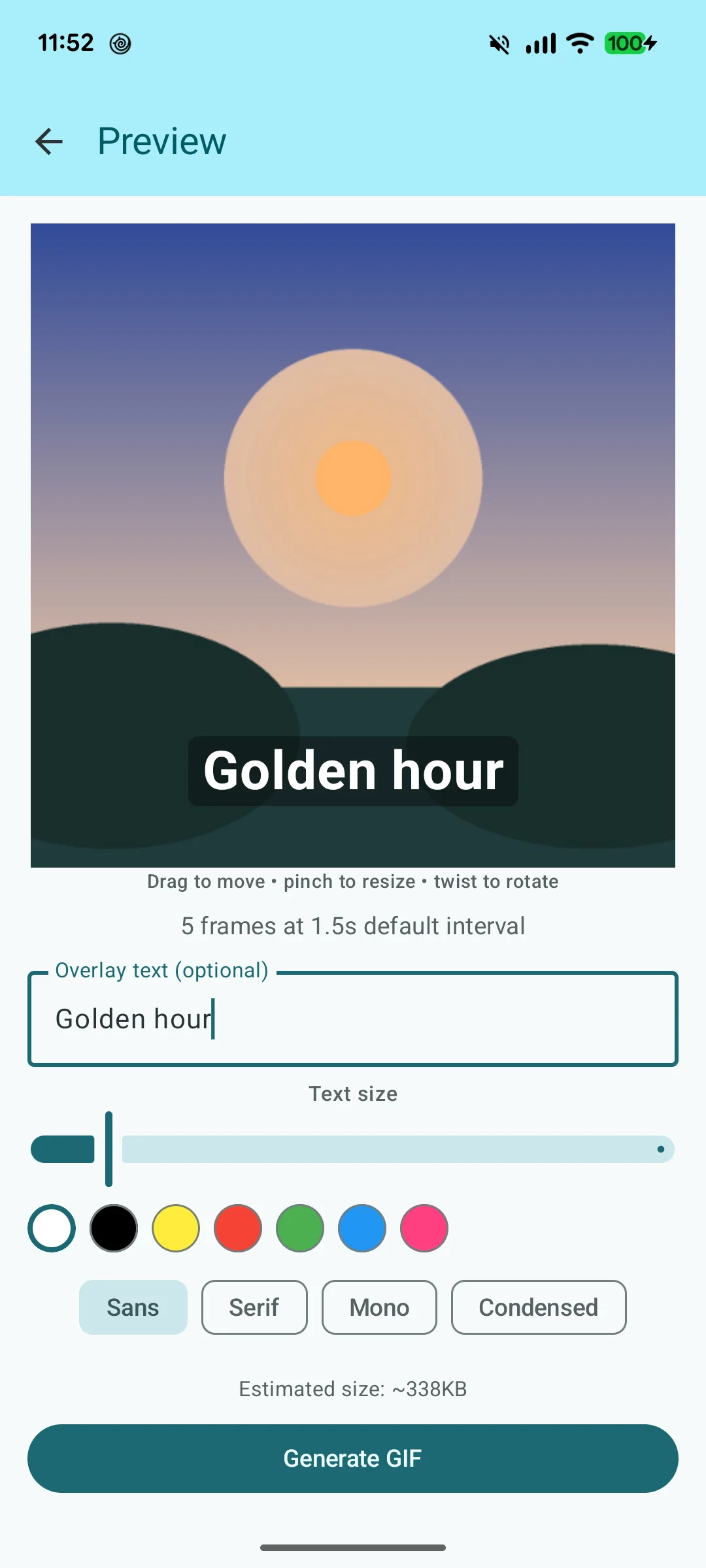
GIFit screenshot 3

Overview

GIFit is a native Android app that turns a selection of photos into an animated GIF entirely on-device — no server, no third-party encoder, no network call. Users pick frames from their photo library, drag to reorder them, set timing per frame or globally, add styled text overlays with full gesture control, and export directly to the gallery or share to any app.

The core technical achievement is a pure-Kotlin GIF encoder written from scratch — implementing the GIF89a spec end-to-end, including LZW compression and two swappable color quantization algorithms. Everything from pixel quantization to byte-packing the bitstream is done in Kotlin with no native dependencies.

GIF89a
Spec Implemented
LZW
Custom Compression
SDK 21+
Android 5.0+
0
Network Calls

Tech Stack

Modern Android stack with a custom-built encoding layer — no third-party GIF library.

Kotlin
Primary Language
Jetpack Compose
Declarative UI + Material 3
Hilt (Dagger)
Dependency Injection
MVVM + StateFlow
Architecture
Coil 3
Image Loading
Custom GIF Encoder
Pure Kotlin, GIF89a
MediaStore API
Scoped Storage Export
ShareCompat
System Share Sheet
Gradle KTS + KSP
Build System
ProGuard / R8
Code Shrinking
JUnit 4 + Espresso
Unit & UI Testing
Compose UI Tests
Compose Test Runner

Key Features

Four distinct systems working together to produce a polished on-device GIF creation experience.

Custom GIF Encoder

  • Implements GIF89a spec: header, logical screen descriptor, graphic control extensions, image blocks
  • LZW compression written from scratch in LzwEncoder.kt
  • Two swappable color quantization algorithms: Median Cut (default) and NeuQuant
  • Selectable at encode time via a Quantizer interface
  • Per-frame delay and text overlay baked in at encode time
  • Progress callback for live UI updates during encoding

Text Overlay System

  • Text rendered live in the Compose preview during editing
  • Single-finger drag to reposition anywhere on the frame
  • Pinch-to-scale and twist-to-rotate via detectTransformGestures
  • 8 preset colors: white, black, yellow, orange, red, pink, cyan, green
  • 4 font styles: Bold, Serif, Mono, Sans
  • Reset button to snap back to center at default size and rotation
  • Transform state stored in ViewModel and baked into every exported frame

Frame Management

  • Pick multiple photos from device library via system photo picker
  • Drag-to-reorder frame list with animated transitions
  • Per-frame delay overrides on top of a global interval
  • Global interval slider: up to 10 seconds per frame
  • Per-frame delay in FrameEditDialog: also up to 10 seconds
  • EXIF orientation corrected automatically on import

Export & Sharing

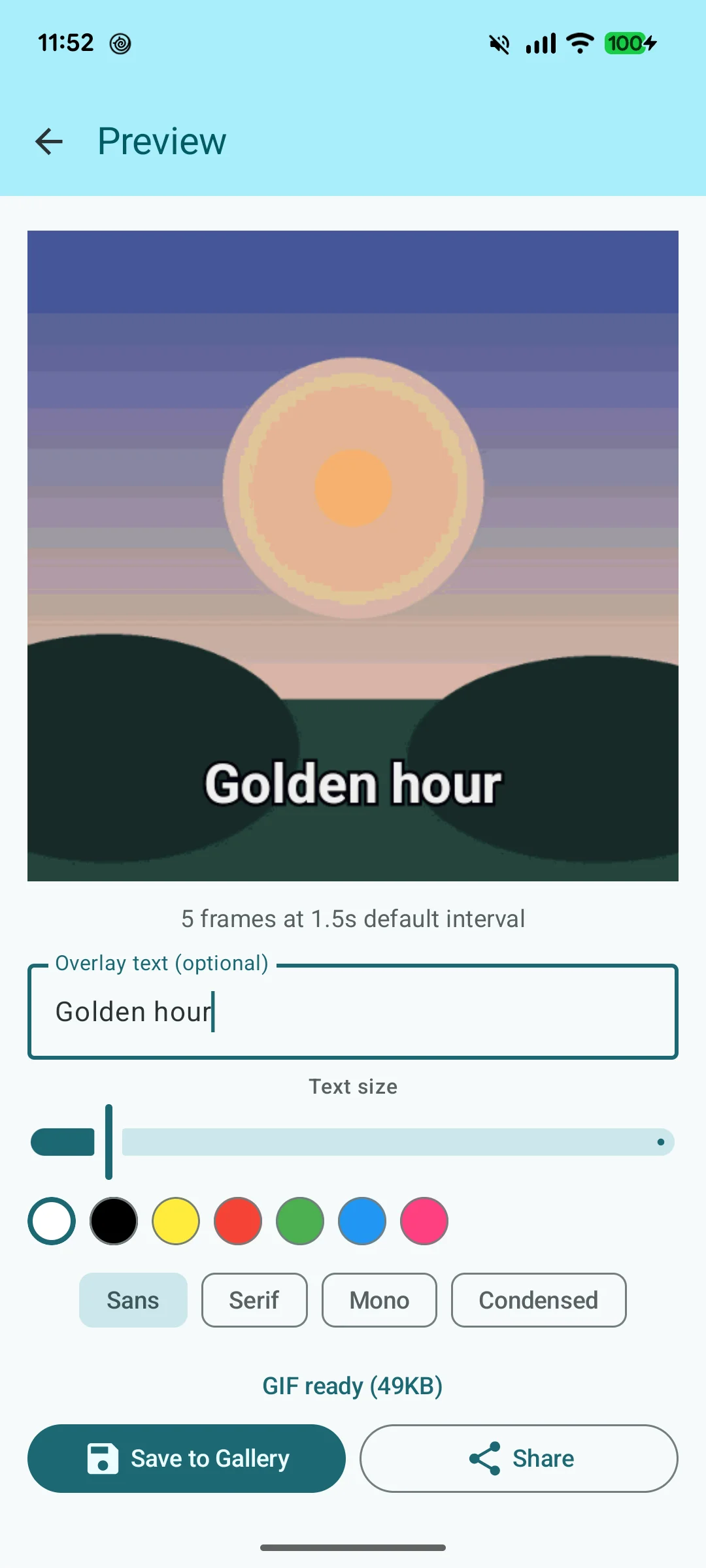
  • Saves to device gallery via MediaStore (scoped storage, Android 10+)
  • Share to any app via ShareCompat system share sheet
  • Share button always visible — if tapped before encoding finishes, encodes then auto-shares
  • Live progress indicator during encoding
  • Entirely on-device — no network calls, no cloud upload

Screenshots

Real device screenshots from a Pixel 9. Click any to view full size.

GIFit screenshot 1
GIFit screenshot 2
GIFit screenshot 3

Technical Highlights

The engineering decisions that made GIFit a substantive Android project.

GIF89a Encoder Written From Scratch

Rather than wrapping a native GIF library, the encoder implements the GIF89a specification directly in pure Kotlin. This covers every required block: the GIF header and version string, logical screen descriptor, global color table, graphic control extensions (for per-frame delay and disposal method), image descriptors, and compressed image data blocks. The output is a fully spec-compliant GIF readable by any browser, messaging app, or image viewer. Writing this from the spec meant handling every byte offset, block terminator, and bit-packing rule explicitly — there are no convenient abstractions to fall back on.

LZW Compression in Pure Kotlin

GIF uses LZW (Lempel-Ziv-Welch) compression on each frame's pixel data. LzwEncoder.kt implements the full algorithm: initializing the code table with the color table size plus clear and EOI codes, building the string table incrementally as pixel sequences are matched, packing variable-width codes into a bitstream, and flushing sub-blocks capped at 255 bytes per the GIF spec. The minimum code size, code width growth, and clear code insertion on table overflow are all handled according to the spec. The result is a lossless compressed bitstream that is decompressed correctly by any conforming GIF decoder.

Swappable Color Quantization

GIF is limited to 256 colors per frame. Reducing a full-color photo to 256 colors without obvious banding requires a color quantization algorithm. GIFit implements two behind a Quantizer interface: Median Cut, which recursively splits the color space along its longest axis to find representative colors (good quality, deterministic, fast); and NeuQuant, a neural network-based algorithm that produces better results for photos with complex gradients (higher quality, slower). The active quantizer is selectable at encode time, letting the user trade quality for speed.

Multi-Gesture Text Overlay in Compose

The text overlay responds to drag, pinch-to-scale, and twist-to-rotate simultaneously on a single touch area. This is implemented with Compose's detectTransformGestures modifier, which provides a single callback with pan, zoom, and rotation deltas per gesture event. The three transforms are accumulated into a ViewModel-held state object (offset, scale, rotation) that drives both the live preview rendering and the Canvas draw calls that bake the text into each frame at export time. The same transform math is applied identically in both paths so the exported GIF matches exactly what the user saw in preview.

Scoped Storage Export & Deferred Share

On Android 10+, apps cannot write directly to arbitrary filesystem paths — all gallery writes go through MediaStore. GIFit inserts a pending ContentValues entry, writes the encoded bytes to the returned URI, then clears the IS_PENDING flag to make the file visible in the gallery. The share flow handles the case where the user taps Share before encoding is complete: a flag is set in the ViewModel, and when the encoder posts its completion callback, the share intent is launched automatically. This makes the Share button always feel responsive regardless of encoding progress.

EXIF Orientation Correction on Import

Photos taken on Android devices often have rotation metadata stored in EXIF rather than physically rotating the pixel data. If the EXIF orientation is ignored, frames appear rotated or mirrored in the exported GIF even though they look correct in the gallery. GIFit reads the EXIF orientation tag on import using ExifInterface and applies the correct rotation matrix via Matrix.postRotate() before the bitmap is handed to the encoder. This runs before quantization so the corrected orientation is what gets compressed — the exported GIF renders correctly on any viewer regardless of which device or app originally captured the photo.

What This Project Demonstrates

Specification-Level Engineering
Reading a binary file format spec and implementing it correctly from byte offsets and bit fields — not wrapping a library
Algorithm Implementation
LZW compression and two color quantization algorithms (Median Cut, NeuQuant) implemented in pure Kotlin
Compose Gesture System
Simultaneous drag, pinch-to-scale, and twist-to-rotate on a single touch target using detectTransformGestures
Modern Android Storage
MediaStore scoped storage export with pending entry pattern for Android 10+ compatibility
Preview / Export Consistency
Text overlay transform math applied identically in live Compose preview and Canvas export — what you see is what you get
Privacy-First Design
Zero network calls — all encoding, text overlay, and export happens on-device with no data leaving the phone

Interested in Android Development?

From custom encoding algorithms to polished Compose UIs — we build native Android apps that go beyond the standard toolkit.

Download APK Get In Touch